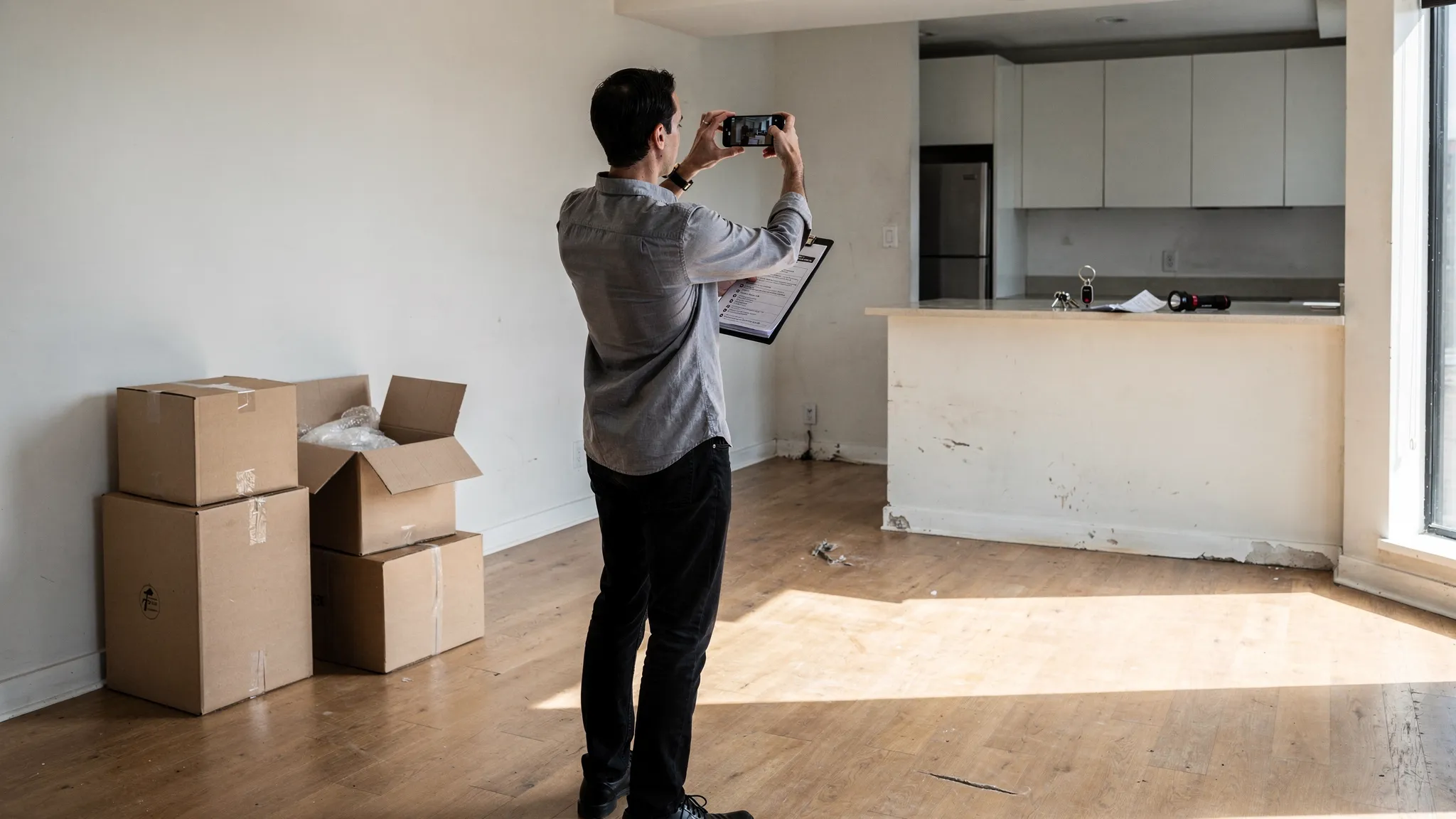
Moving into a long-term rental feels like the finish line after weeks of searching, applying, and signing. But move-in is also the moment when small oversights (like an undocumented scratch on the floor or a utility that never got switched over) turn into expensive, stressful problems later.
This move-in checklist for long-term rentals focuses on two goals: protecting your security deposit and making the home functional fast, without missing the boring details that matter.
What “move-in” really includes (and why it matters)
For a long-term lease, move-in is not just picking up keys. It is a short window where you can still clarify responsibilities, document the property’s condition, and establish a paper trail.
If a dispute comes up months later (damage, maintenance, fees, or “it was already like that”), the most persuasive evidence is usually:
- A signed move-in condition form
- Time-stamped photos and video
- Written communication sent right after move-in
That combination is what turns your checklist into protection.
1 to 2 weeks before move-in: set yourself up for a smooth first day
The biggest move-in day disasters come from missing logistics, not missing boxes. Use the final 7 to 14 days to confirm the “operating system” of the rental.
Start by re-reading the parts of the lease that affect day-one access and costs. If you want a refresher on the most important clauses to double-check, Movely’s guide to lease agreement basics is a helpful companion.
Here is what to lock in before you arrive:
- Move-in appointment and key pickup: Confirm date, time window, and who you’re meeting.
- How rent is paid: Portal, ACH, check, or bank transfer, and when the first payment is due.
- Security deposit and fees: Get receipts and a written breakdown of what each payment is for.
- Utilities start dates: Electricity, gas, water, trash, and internet should start the day you arrive. For a full utility-by-utility workflow, use Movely’s utilities setup checklist.
- Building logistics (if applicable): Elevator reservations, loading dock rules, move-in insurance, parking permits, and quiet hours.
- Renter’s insurance: Many leases require it. Even when they do not, it is often worth having.
- Mail plan: Decide whether you will submit a change of address and when. The USPS Change of Address service is the official option in the US.
If anything is unclear, ask now, not while you are standing in a hallway with a moving cart.
Move-in day: the non-negotiable checklist
Your priorities on move-in day should be: (1) document condition, (2) verify safety and function, (3) confirm access.
Plan to arrive with your phone fully charged, a flashlight, and a simple notes app checklist.

Condition documentation (do this before you bring in furniture)
Walk the unit in a consistent order (front door clockwise works well) and capture wide shots, then close-ups.
- Take a continuous video of the entire unit, narrating what you see (date, unit number, any existing damage).
- Photograph every room from multiple angles.
- Close-up anything imperfect: dents, stains, worn carpet, cracked tile, chipped paint, scratched glass, water marks, missing outlet covers.
- Open every cabinet and closet and photograph damage inside.
- Photograph floors in high-traffic areas and near windows.
If your landlord or property manager provides a move-in condition form, fill it out carefully. If they do not, you can create your own checklist and email it.
Safety and access checks
A few quick tests can prevent a miserable first week.
- Locks: Ensure the deadbolt works smoothly and windows lock properly.
- Smoke and CO alarms: Confirm presence and test buttons. (If you are not sure what is required where you live, ask your local housing authority or property manager.)
- Lights and outlets: Test a sample in each room.
- Water: Check hot water, water pressure, toilets flushing, drains, and under-sink leaks.
- Appliances: Run the refrigerator (temperature), stove burners, oven, dishwasher quick cycle, and washer and dryer if included.
- Heating and AC: Turn them on and confirm they actually respond.
Building and practical logistics
- Keys and fobs: Confirm you received everything you were promised (unit keys, mailbox key, building fob, gym key, parking remote).
- Trash and recycling: Locate the rooms and confirm pickup rules.
- Parking and towing rules: Photograph signs if they are posted.
If you discover a serious issue (no hot water, active leak, broken lock), report it immediately and in writing.
How to do a move-in inspection that actually protects your deposit
Many renters take a few photos, then lose them, or never send them anywhere. The goal is not just collecting evidence, it is creating a time-stamped record the landlord cannot plausibly dispute later.
A simple, effective workflow:
- Create a dedicated folder (cloud storage plus local backup) named with the address and move-in date.
- Take one continuous video first, then detailed photos.
- Write a short “move-in condition summary” email the same day.
- Attach or link a small set of key photos (do not overwhelm them with 200 attachments).
- Ask for confirmation that they received your notes.
If you want to understand how deposit disputes typically work and why documentation matters, Movely’s guide on security deposit rules breaks down common timelines and best practices (rules vary by state).
First 72 hours: make the home livable (and avoid quick mistakes)
Once the inspection is documented, shift into “stabilize the essentials” mode. Most stress in the first few days comes from missing basics.
Focus on:
- Clean high-touch surfaces even if the unit looks clean (handles, switches, fridge shelves).
- Find shut-offs: water shut-off, breaker panel, and gas shut-off instructions if relevant.
- Set up internet (or confirm signal and installation date).
- Confirm how maintenance requests work: portal, email, phone, and after-hours procedure.
- Decide on key handling: If you need copies, make sure your lease allows it, and consider how you will store spares.
If you are tempted to paint, mount a TV, or swap fixtures, pause and read your lease first. Many leases require written approval for alterations, even small ones.
First week: admin tasks that prevent recurring headaches
The first week is where you eliminate “paper cuts”, the small friction points that waste time every day.
Priorities to handle within 7 days:
- Set up rent payments: autopay if you trust the portal and you have confirmed the amount and due date.
- Verify utility billing: make sure accounts are active and assigned to the right name and unit.
- Update your address: bank, employer, insurance, subscriptions, and any government services.
- Document deliveries: if packages go missing, you want to know the building’s system (locker, front desk, mail room, or door delivery).
- Learn the building rules: quiet hours, guest policy, moving carts, bike storage.
A good rule: if it will annoy you twice, make a system for it once.
First month: reduce risk and lock in routines
By the end of the first month, you should have clarity on what is “normal” for the apartment and what needs follow-up.
Use weeks 2 to 4 to:
- Follow up on maintenance in writing if anything is unresolved.
- Create a home inventory for renter’s insurance (photos of valuable items, serial numbers if you can).
- Check for slow issues: recurring condensation, minor leaks, pests, or weird odors.
- Track your baseline costs: utilities, commuting, parking, and any recurring building fees.
- Save all move-related receipts: some employers reimburse relocation expenses if you are moving for work.
If you are still learning the area, a simple strategy is to “test your week” by doing your real commute, grocery run, gym route, and evening walk on typical days. That gives you a more accurate sense of fit than a weekend-only impression.
If you’re relocating for work (or moving to a new country)
Long-term rentals become more complex when your move is tied to a job change, a visa timeline, or a remote start date.
A few extra move-in tips help international or out-of-state renters avoid costly rework:
- Keep a digital “relocation binder”: lease, payment receipts, inspection evidence, ID documents, and key emails.
- Ask what documents you will need later: proof of address for banking, local registration, parking permits, or school enrollment.
- Request English-language clarity if you are signing documents abroad. If something is unclear, ask for a written explanation.
- Build skills while you settle: if you are ramping up in a new role or adapting to a new market, structured learning can reduce stress. Options like live, expert-led online courses can be a practical way to upskill in technology, business, or creativity while you get established.
A copy-paste move-in checklist for long-term rentals
Use this as your “one page” version. Keep it in your phone notes.
Before move-in day
- Confirm key pickup time, location, and contact person
- Confirm first payment amount, due date, and payment method
- Collect receipts for deposits and fees
- Schedule utilities to start on move-in date
- Confirm building move-in rules (elevator, parking, loading)
- Arrange renter’s insurance if required
Move-in day
- Take one continuous walkthrough video before unloading
- Photograph every room (wide shots plus close-ups)
- Note and photograph all existing damage
- Test locks, windows, lights, outlets
- Test water (hot, pressure, drains), toilets, under-sink leaks
- Test appliances and HVAC
- Confirm smoke and CO alarms are present and functional
- Confirm keys, fobs, mailbox key, and any parking remotes
- Find breaker panel and water shut-off
- Email move-in condition notes the same day
First week
- Set up rent payments and save confirmation
- Confirm all utilities are active and billed correctly
- Learn trash, recycling, and package delivery procedures
- Update address with banks, employer, subscriptions
- Submit maintenance requests for any issues found
First month
- Follow up on unresolved maintenance in writing
- Create a home inventory for renter’s insurance
- Track recurring costs and set a budget baseline
- Save lease, inspection, and receipts in a single folder
Final tip: treat move-in like a short audit
The best move-in checklist for long-term rentals is not the longest one. It is the one you actually complete, then back up with clear documentation and written follow-up.
If you want to go deeper on related steps, these Movely guides pair well with your move-in plan: what to ask on a rental viewing, how to spot a bad landlord, and the utilities setup checklist.